Signal used to have one hard rule: your messages lived on your device and nowhere else. Lose the phone, lose the history.
That changed. Signal Secure Backups are now live on Android and iOS. They are end-to-end encrypted, opt-in, and Signal cannot read them.
If your Signal threads touch treasury approvals, deployment coordination or incident response, this is worth ten minutes of your attention. Setup takes five. The other five are about where the recovery key lives, which is the part that decides whether backups make you safer or hand someone your entire history. Backups also do nothing for a device that is already compromised, which is a separate job covered in our free device hardening toolkit for macOS, Linux and Windows.
Signal Secure Backups pricing: free vs paid
Signal Secure Backups has two tiers.
| Free | $1.99/month | |
|---|---|---|
| Text messages | All of them | All of them |
| Media | Last 45 days | All of it |
| Storage limit | 100 MiB of messages | Up to 100GB |
| Encryption | End to end | End to end |
Signal compresses text, so the free 100 MiB allowance covers even heavy users. Once enabled, your device creates a fresh archive every day and replaces the previous one. Signal is a nonprofit that does not sell data, so the subscription covers storage cost. Per Signal's announcement, archives are stored using zero-knowledge techniques and are not linked to your account or your payment method. Media files are encrypted a second time with a key unique to your backup and padded to obscure their true size, so an attacker holding the backup files cannot compare them to work out who shares a group.
One thing decides everything else: the Signal archive is unlocked by a 64-character recovery key generated on your device. Signal never receives it. You can generate a new key at any time, but that does not open an old archive, and no support ticket will. Lose the recovery key and the archive stays encrypted forever.
How to set up Signal Secure Backups
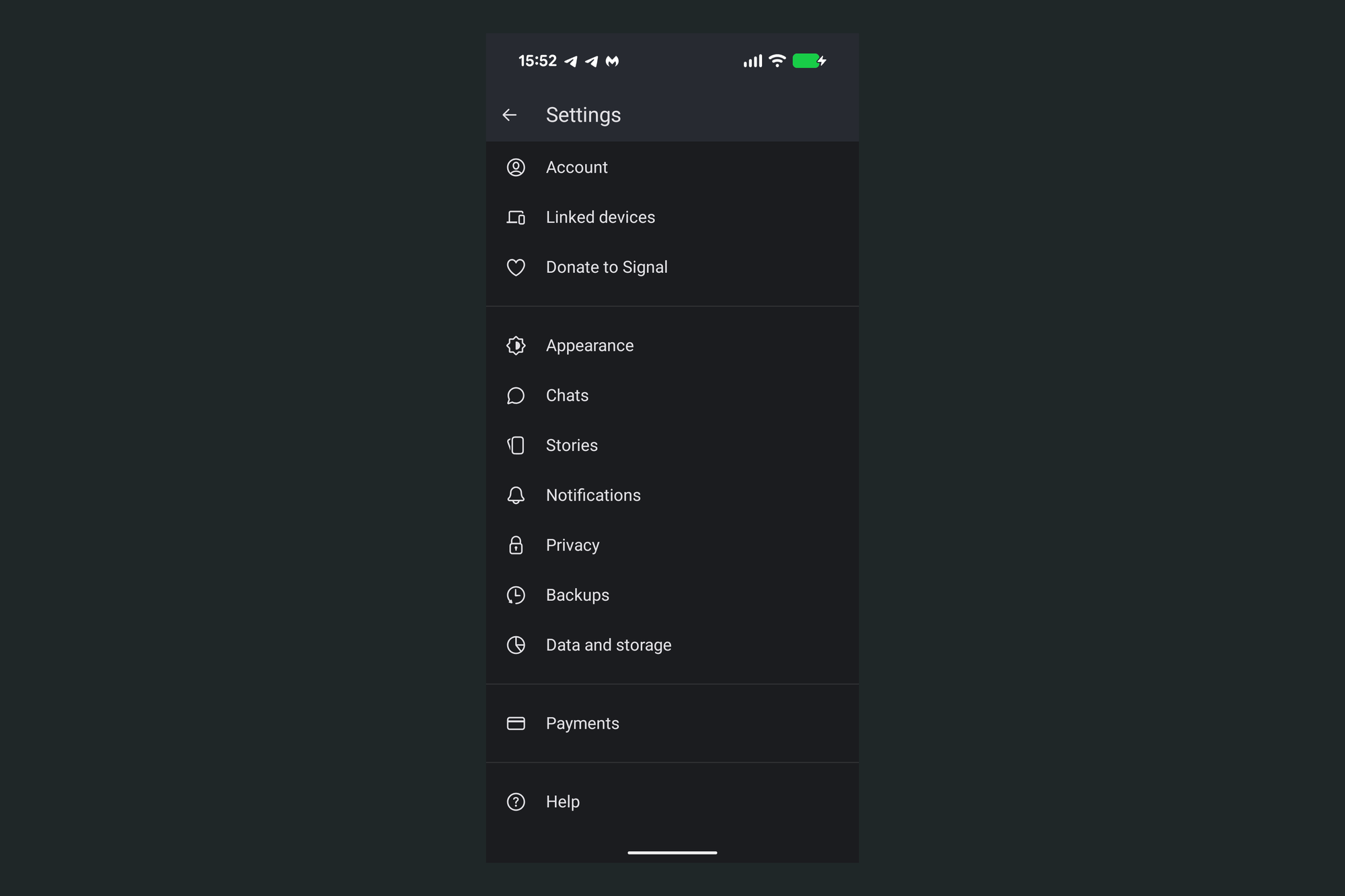
1. Open Settings, then Backups
Tap your profile circle at the top left of Signal, then Backups.
2. Choose Signal Secure Backups
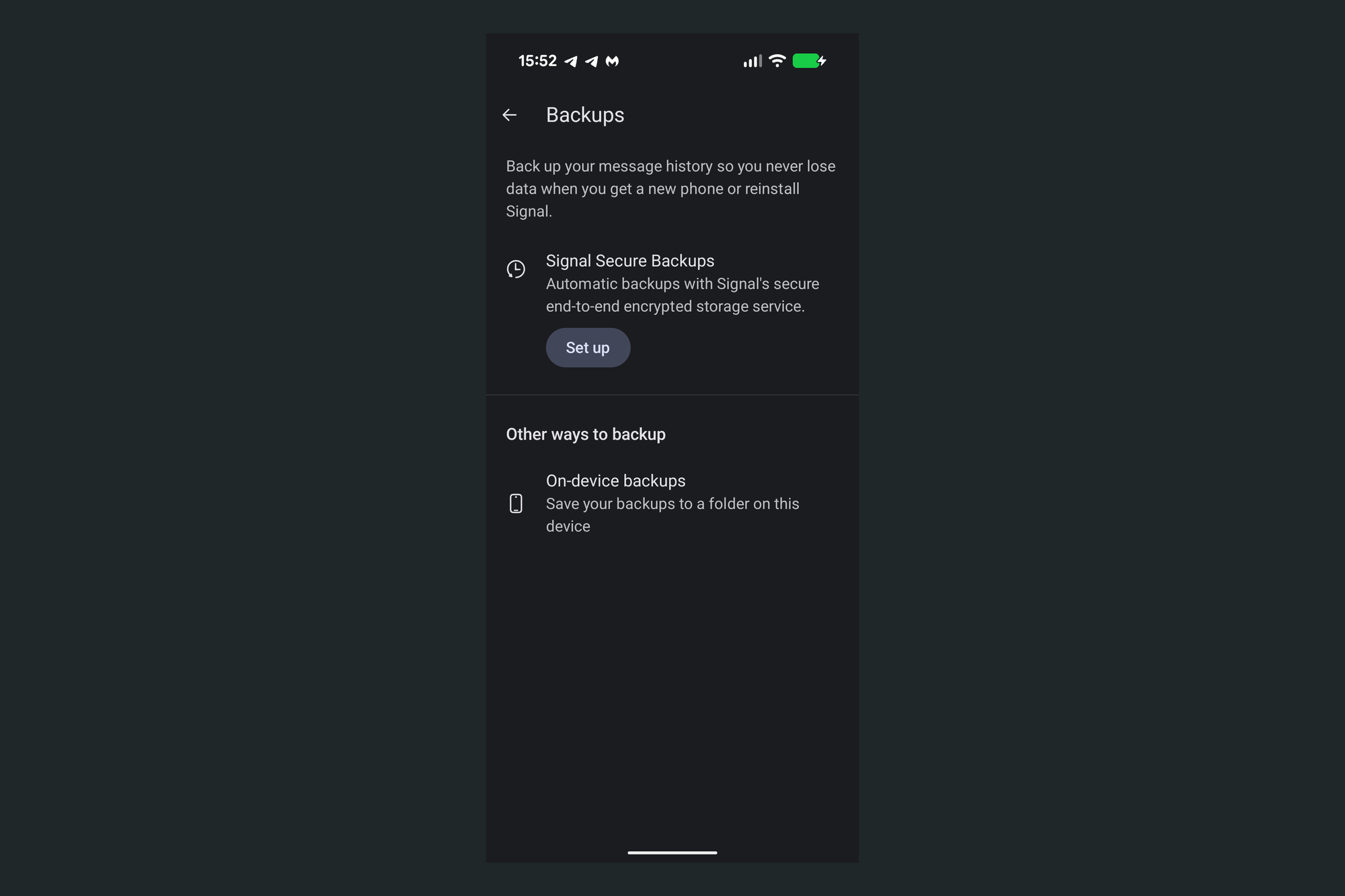
Signal offers two backup types. Signal Secure Backups are automatic and hosted by Signal. On-device backups write to a folder on the phone and never leave it, which is still the right call if you will not put an archive on someone else’s infrastructure. Note that on-device backups are Android and Desktop only, so iOS users will not see that option. Signal documents the difference here.
Tap Set up.
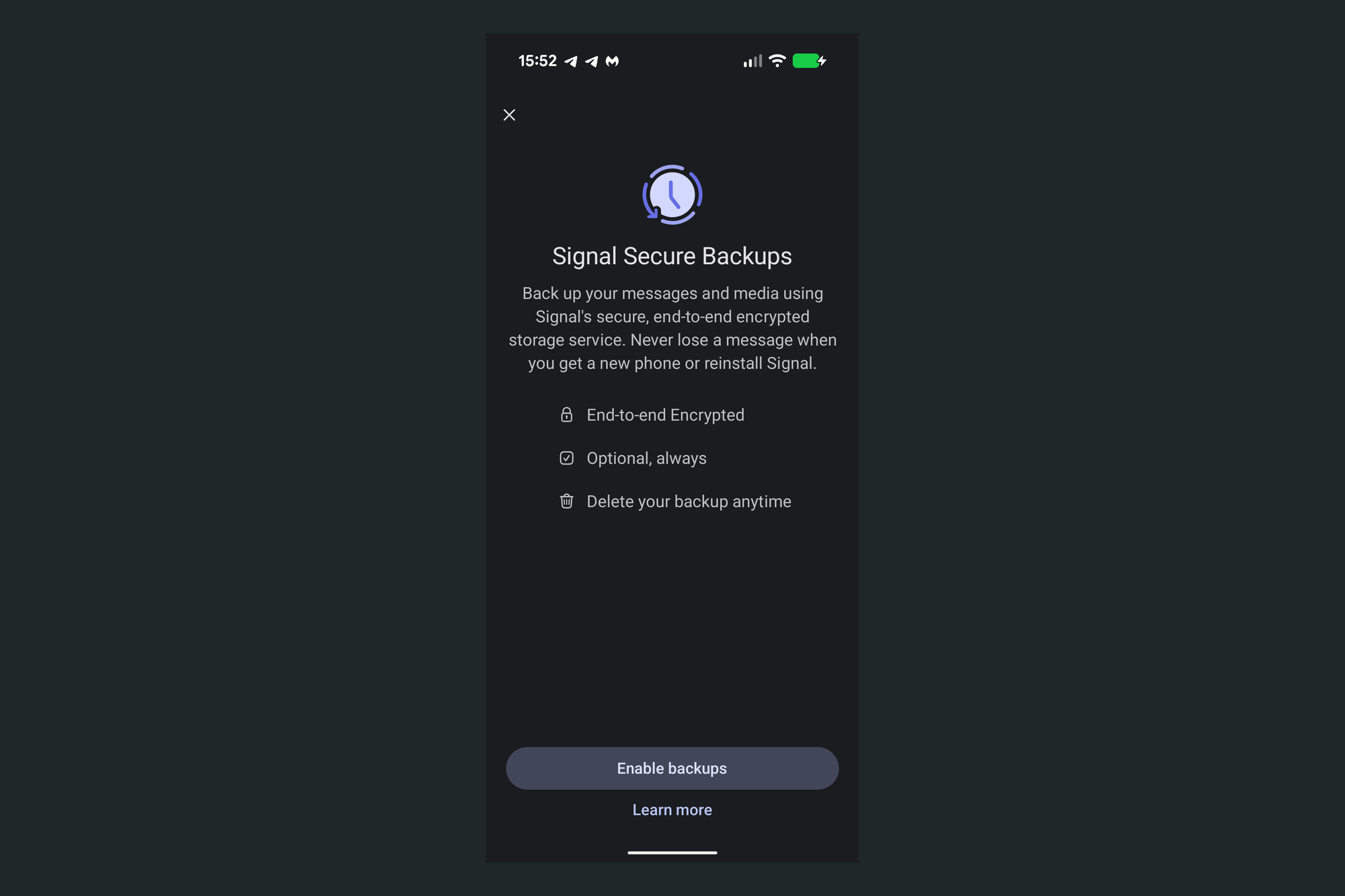
3. Enable backups
Signal states the model before you commit: end-to-end encrypted, optional, deletable at any time. Tap Enable backups.
4. Save the recovery key the right way
Tap View recovery key and copy the 64 characters by hand onto paper. Signal then asks you to confirm the key before it will continue, so read what you wrote back against the screen, character by character. A single wrong character means no archive.
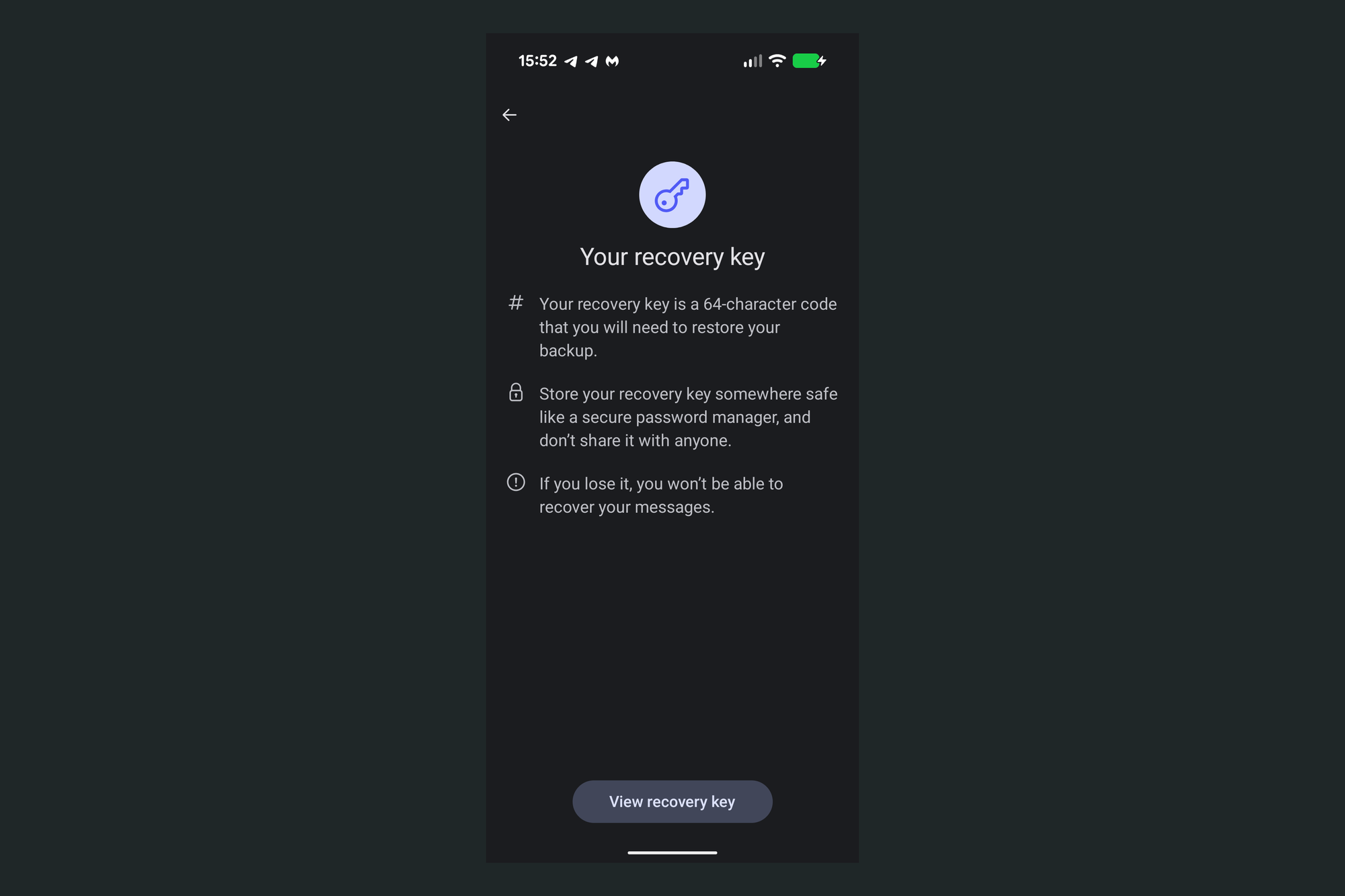
Look at what that screen actually tells you to do: store the key "somewhere safe like a secure password manager." Signal’s announcement post offers a notebook as an alternative, but the in-app copy, and most write-ups of this feature, point people straight at 1Password or Bitwarden. Opsek recommends against storing a Signal recovery key in a password manager. This is not a new position for us. A Signal recovery key is a recovery code, and recovery codes have never belonged in a vault.
A password manager holds one factor: passwords and PINs. It is software on an internet-connected machine, unlocked regularly by a human, which makes it reachable by infostealer malware, by a compromised browser extension, by an attacker who phishes the master password, and by a breach at the vendor. That is a fine trade for credentials you use daily, because the alternative is password reuse. It is the wrong trade for a root secret you will touch once every few years.
The 2022 LastPass breaches are the reference case. Attackers took encrypted vaults and brute-forced the weaker master passwords, and researchers Taylor Monahan and ZachXBT traced years of crypto thefts to victims whose only common factor was having stored a seed phrase in LastPass. Estimates of the total vary widely, from roughly $35 million in one 2025 analysis to over $438 million in another, and LastPass has said it does not consider the link conclusively proven. The number that is not in dispute: in February 2026 LastPass settled a class-action for $24.5 million, $16 million of it allocated specifically to cryptocurrency theft losses.
Store a Signal recovery key the way you should already be storing backup codes and 2FA recovery codes:
- On paper, in a secure location, reachable by someone you trust in case you need it while traveling.
- On an encrypted drive, as a second copy. Use the encrypted drive feature in macOS Disk Utility, or VeraCrypt if you know what you are doing. Two backup media matter more than usual here, because 64 handwritten characters are easy to transcribe wrong and you will not find out until the day you need them.
- Never as a photo, a screenshot in the camera roll, a note, a chat message, or an email to yourself.
The full list of what does and does not belong in a vault, along with cold owner accounts, mandatory hardware 2FA and offboarding, is in our write-up on the most common mistakes we find when auditing password managers in Web3 organizations.
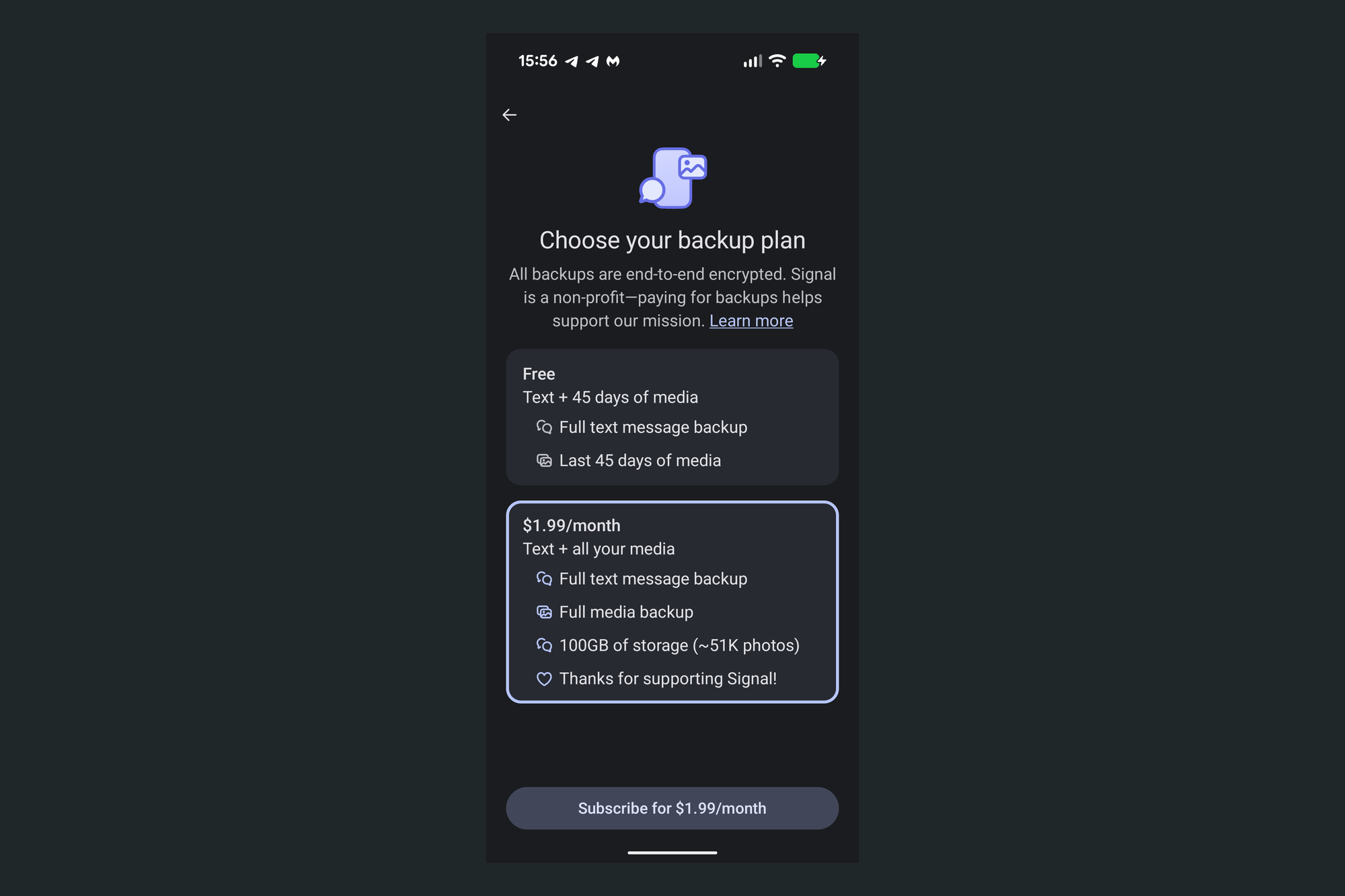
5. Pick your plan
Free covers text plus 45 days of media. Paid covers everything.
If your history is mostly text, free is fine. If you keep contracts, addresses, screenshots or voice notes you might need to produce months later during an incident review, take the paid tier.
6. Confirm it is running
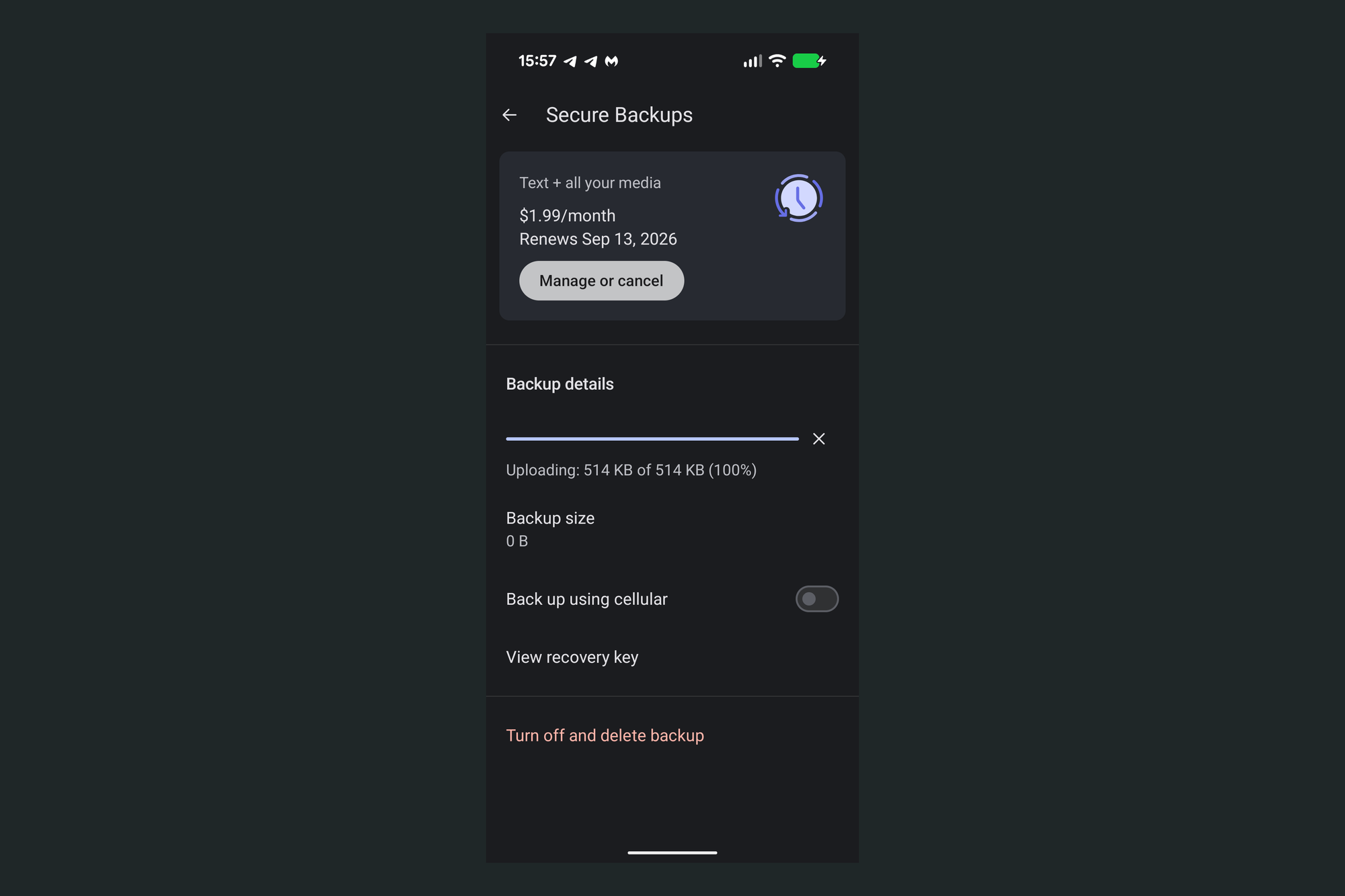
The Secure Backups screen shows upload progress, backup size, a cellular toggle, a shortcut back to the recovery key, and the option to turn everything off. Turning it off deletes the archive.
Leave Back up using cellular off unless you have a reason not to. Backups then run on Wi-Fi only.
How to restore a Signal backup
Worth knowing before you need it, because the constraints surprise people.
Restoring a Signal backup only works during first-time setup. Install Signal on the new device, register with the same phone number, and enter the 64-character recovery key when prompted. You cannot merge an archive into an existing install, so if you set up the app first and then remember the backup, you start over.
Cross-platform restores work in both directions. Android to iOS and iOS to Android are both supported. Direct device transfers and on-device backups do not work cross-platform.
Linked devices come last. Desktop and iPad sync only after the phone finishes restoring.
Signal's troubleshooting page covers the failure cases. If you want to confirm your written key is correct rather than assume it, the only real test is a restore on a spare device. For anyone whose Signal history would be expensive to lose, that is worth doing once.
What Signal backups do not cover
Disappearing messages are only partly excluded, and the detail matters. Signal leaves out view once messages and messages are scheduled to disappear within the next 24 hours. A message on a seven-day timer is in the archive until it reaches that final day. Because the archive is rebuilt daily, anything you deleted in the last 24 hours drops out on the next refresh. So backups do not resurrect what you set to expire, but they do hold long-timer messages for as long as the timer runs.
Your setting does not govern the other side. Anyone you talk to can back up your shared conversation whether or not you enabled backups yourself. Disappearing messages are your only real lever there, and given the rule above, only short timers reliably keep a message out of the other person’s archive.
Backups solve device loss, not device compromise. If the phone is owned, the attacker already has the plaintext. Signal backups protect against dropping your phone in a lake, not against the malicious installer someone on your team ran last week. Our free hardening toolkit for macOS, Linux and Windows is a starting point for that side of the problem.
Is your team's key handling written down anywhere?
Most Web3 teams we audit find that every person handles recovery keys, seed phrases and 2FA backups differently, and that nobody has tested a restore. Our OpSec audits run as small hands-on sessions covering devices, accounts, password managers, 2FA and backup strategy, with your team applying the fixes live. Request an audit.
Frequently asked questions
Can Signal read my backups?
No. Signal Secure Backups are encrypted with a 64-character key generated on your device that Signal never receives. Signal stores an archive it cannot open.
What happens if I lose my Signal recovery key?
The archive stays encrypted permanently. You can generate a fresh key for future backups, but nothing recovers an archive whose key is gone, and no support ticket or identity check will change that. This is why Opsek recommends writing the key down on paper and copying it to an encrypted drive before you finish setup, not after.
Are Signal backups free?
Partly. The free tier covers all text messages plus the last 45 days of media. All media, up to 100GB, costs $1.99 per month.
Do Signal backups include disappearing messages?
Partly. View once messages are excluded, as are messages scheduled to disappear within the next 24 hours and anything deleted in the last 24 hours. Messages on longer timers stay in the archive until they reach that final day.
Can I restore a Signal backup to a new phone?
Yes, during first-time setup only, using the same phone number and your 64-character recovery key. Android to iOS and iOS to Android restores are both supported. You cannot restore into an existing Signal install.
Should I store my Signal recovery key in 1Password or Bitwarden?
Opsek recommends against it. Password managers are for passwords and PINs, not for recovery codes, seed phrases or private keys. After the 2022 LastPass breaches, researchers traced years of crypto thefts to victims who had stored seed phrases in their vaults, and LastPass settled a class-action in February 2026 for $24.5 million, $16 million of it for cryptocurrency losses. See our write-up on password manager mistakes for the full reasoning.
Where should I store a Signal recovery key instead?
On paper in a secure location that a trusted person can reach if you need it while traveling, plus a second copy on an encrypted drive created with macOS Disk Utility or VeraCrypt. Never in a photo, a note, or a chat message to yourself.
Are Signal Secure Backups worth enabling?
For most people, yes. The encryption model is sound and the archive is deletable at any time. Worth knowing: Signal has no team or organization tier, so there is no admin panel, no shared archive, and no way to enforce backup policy across a group. Every person enables it individually and holds their own recovery key. In a team of ten or fifty, that becomes a coordination problem, which is where written procedure matters more than the feature itself.
Conclusion
Signal Secure Backups are a straight upgrade for most teams. The feature is well-built, the pricing is honest, and the encryption model is what you would want. The risk is not the backup. It is fifty people each inventing their own answer to "where did I put that key."
If Signal is where your treasury approvals, deployment coordination or incident response actually happen, key handling belongs in written procedure rather than in whatever each person decides alone. That is one of the things we review during an Operational Security audit. Get in touch if you want a second set of eyes on it.
Stay safe
Opsek.