From the first message to the fake login page, a step by step look at how scammers turn career aspirations into phishing attacks.
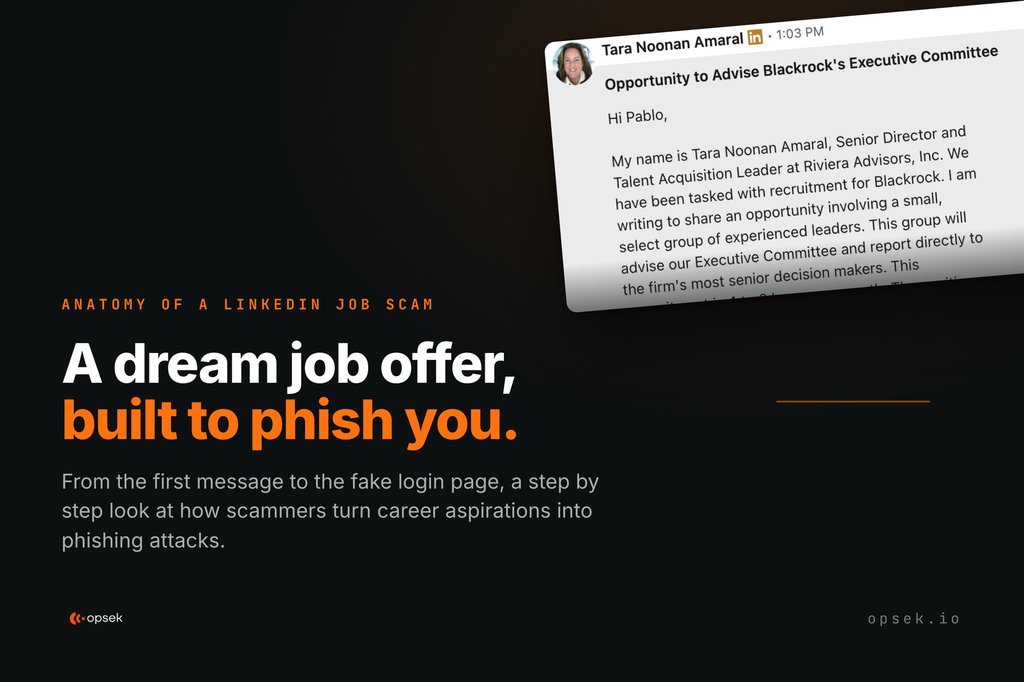
An InMail offering a BlackRock advisory seat.
An InMail arrived on LinkedIn at 1:03 PM offering a Strategic Advisor seat on BlackRock’s Executive Committee. Four to six hours a month. An annual retainer between $190,000 and $275,000. The sender introduced herself as a Senior Director and Talent Acquisition Leader at Riviera Advisors, a real recruiting firm, writing on BlackRock’s behalf.
An offer like this is hard not to get excited about, and the modest time commitment makes replying feel harmless. Then came the hook, a short link on share.google, Google's own URL shortener.
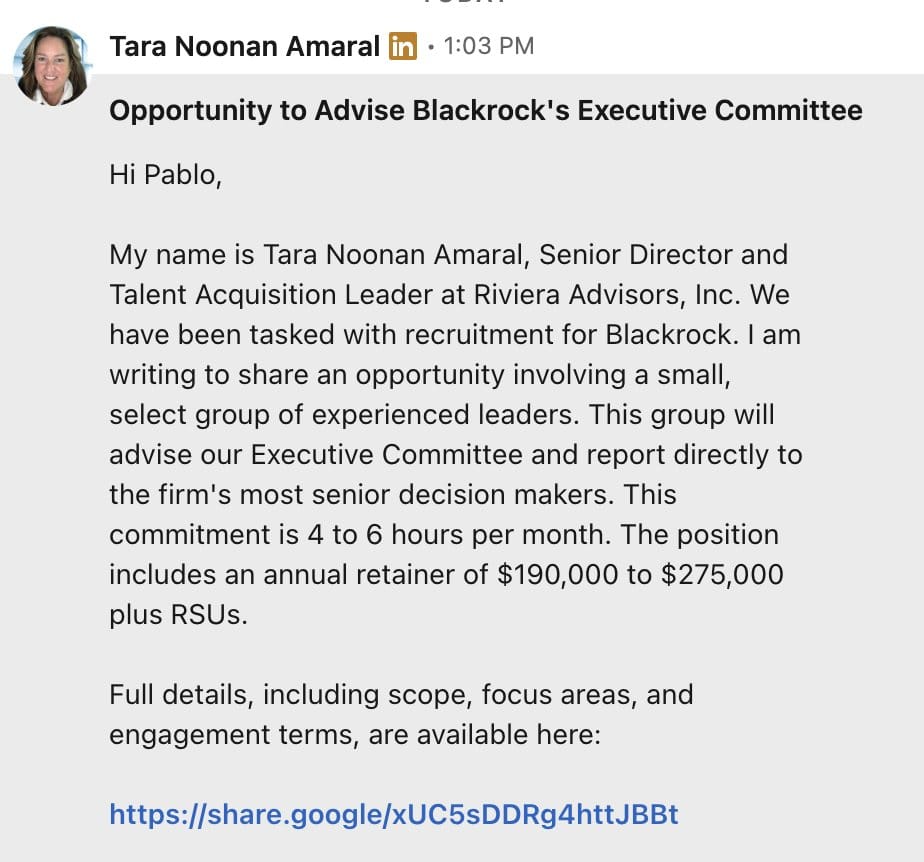
The LinkedIn InMail as it arrived.
A fake recruiter profile built to pass inspection.
The account showed a full career. It listed years at Riviera Advisors, prior roles at SemperVirens Venture Capital, Hellman & Friedman and Marsh & McLennan, a BA from Brown, thirty four skills, ninety nine endorsements on Talent Acquisition alone, and five written recommendations, two dated 2009. Mutual connections appeared at the top.
A user who does the recommended check (opening the recruiter’s profile before replying) finds what looks like sixteen years of real work. A profile page is content anyone can assemble.
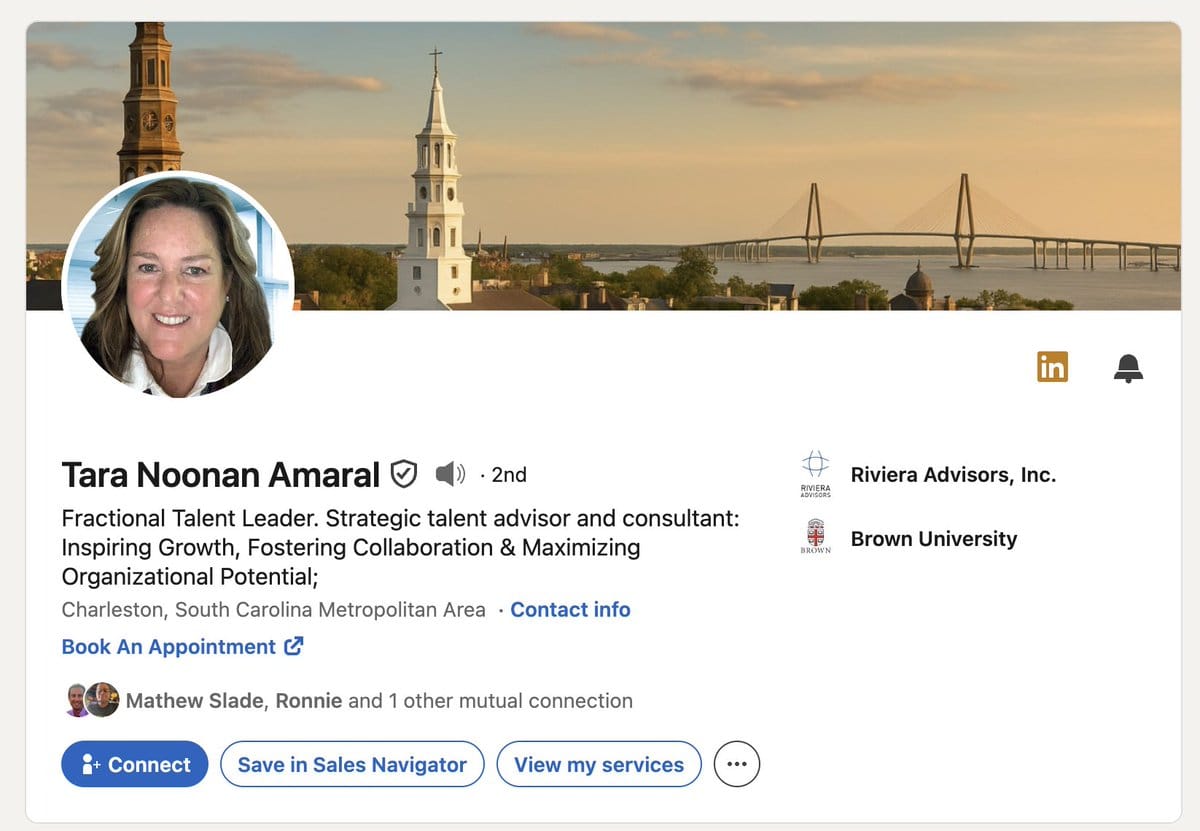
The recruiter profile, complete with endorsements and recommendations dated 2009.
Google links all the way down, until the login page.
The short link hides its destination behind a google.com hostname, so hovering over it returns a Google domain. It led to a Google Sites page named after the role that mimicked BlackRock's branding with the wordmark, navy and orange palette, careers navigation bar, and an equal opportunity employer footer. Even the boilerplate checked out, citing BlackRock's published figure of more than $11 trillion in assets under management.
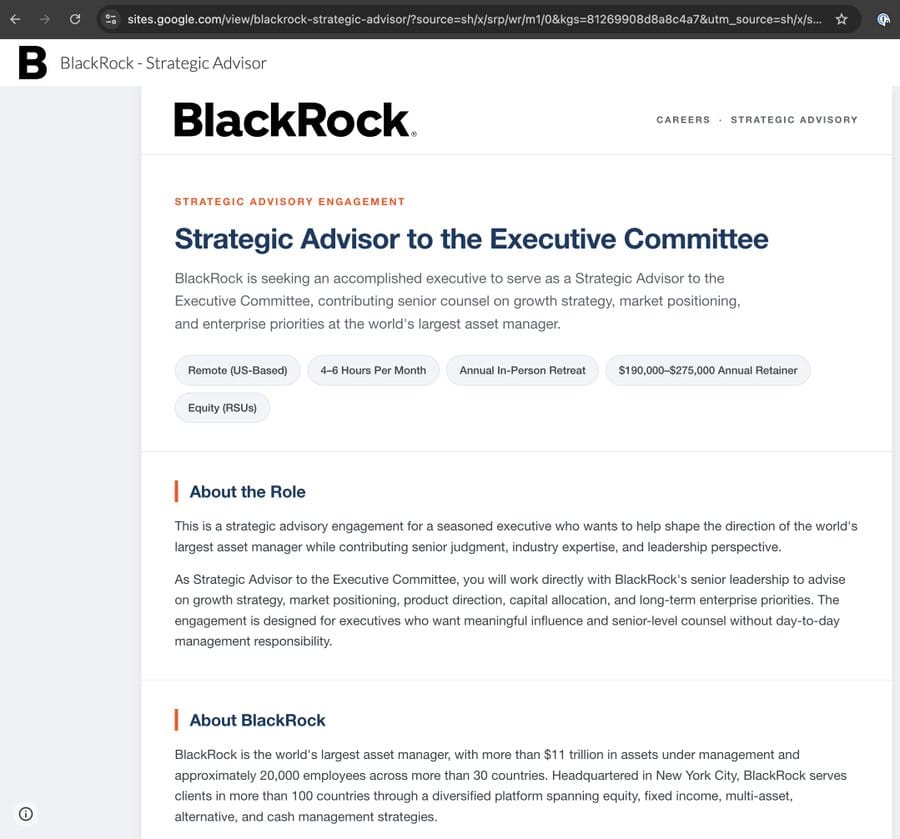
First Google Sites page. The address bar reads sites.google.com.
Clicking "To Express Interest" opened a confirmation panel with a "Schedule a 30-Minute Meeting" button, and two lines of small print warned that the link had been generated for the current session and that scheduling should be completed before leaving the page.
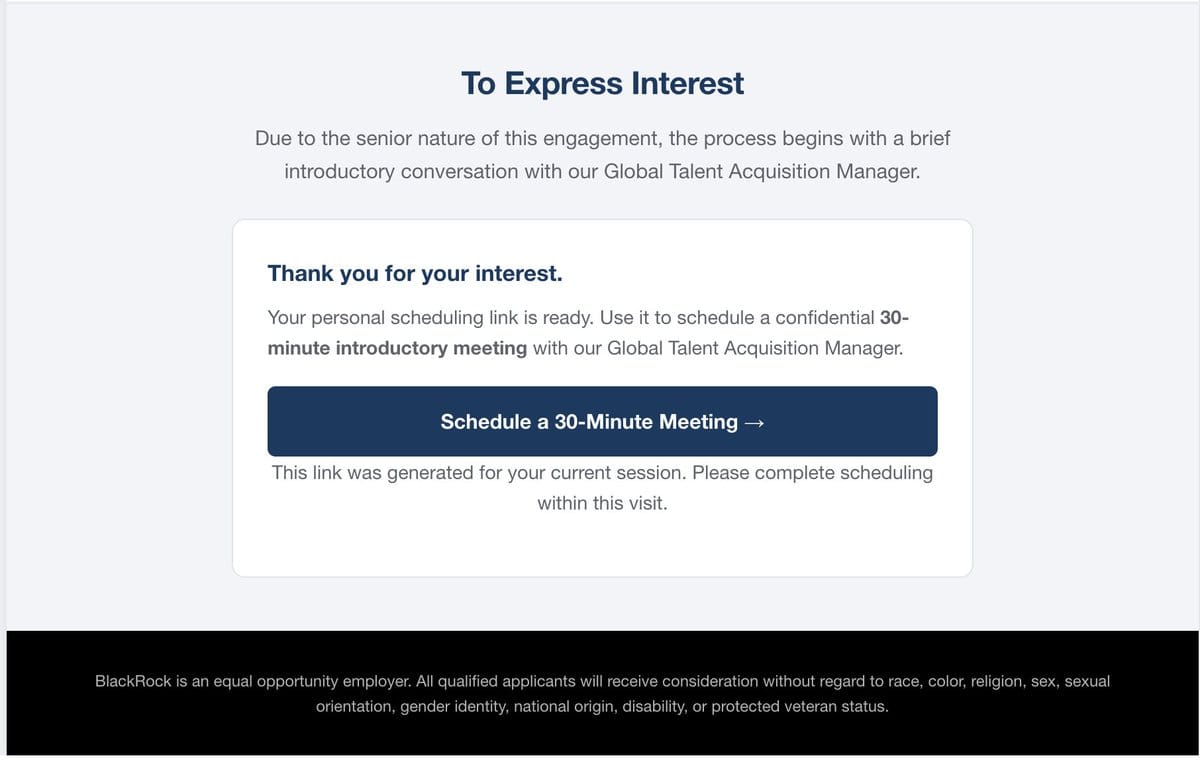
The scheduling handoff, with session-scoped small print.
That button led to a second Google Sites page styled as a booking tool. It asked visitors to sign in with Google so the organizer could verify their details, and a line in red read: “please book this meeting once, no duplicates”.
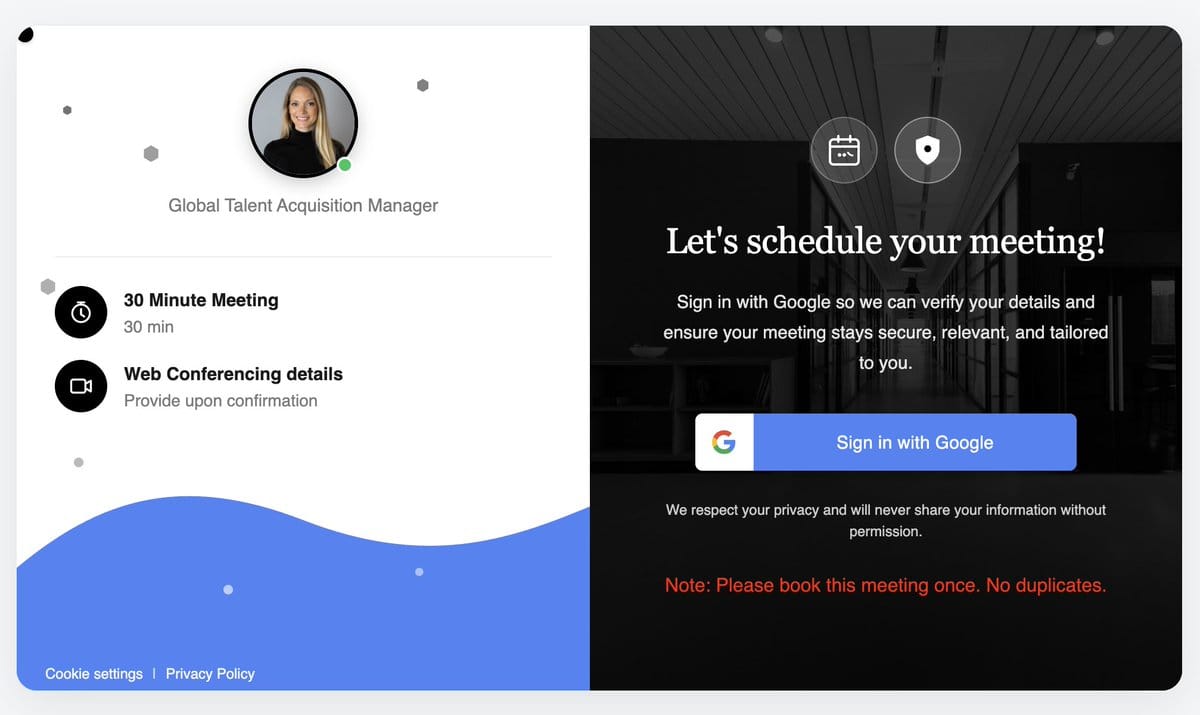
Second Google Sites page. "Sign in with Google" is the pivot to the attacker domain.
Google Sites gives attackers free hosting on a domain that no corporate proxy blocks and that reputation services rate as clean. Anyone who checks the address bar during the first three steps sees a Google address and lets their guard down.
A five-day-old domain dressed as a Google sign-in
The "Sign in with Google" button led off Google´s site for the first time, to a domain made of random words. A sign-in form came first, then a "Verify it’s you" screen with reCAPTCHA, then a password prompt.
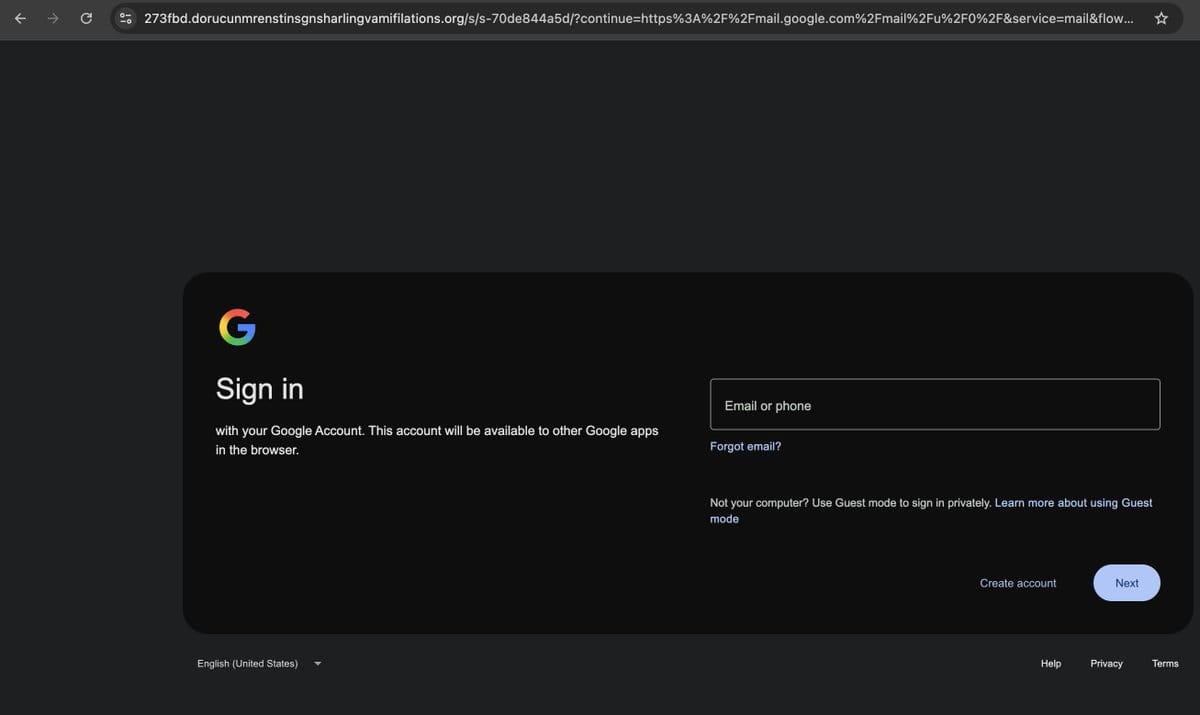
The attacker domain in the address bar, behind a Google sign-in clone.
This page does more than collect a password. As soon as it loads, before anything is typed, it calls a session endpoint on the attacker's server, pulls down a 47 kB script, and opens a WebSocket, a connection that stays open in both directions. urlquery recorded the page title as "Secure Browser Session".
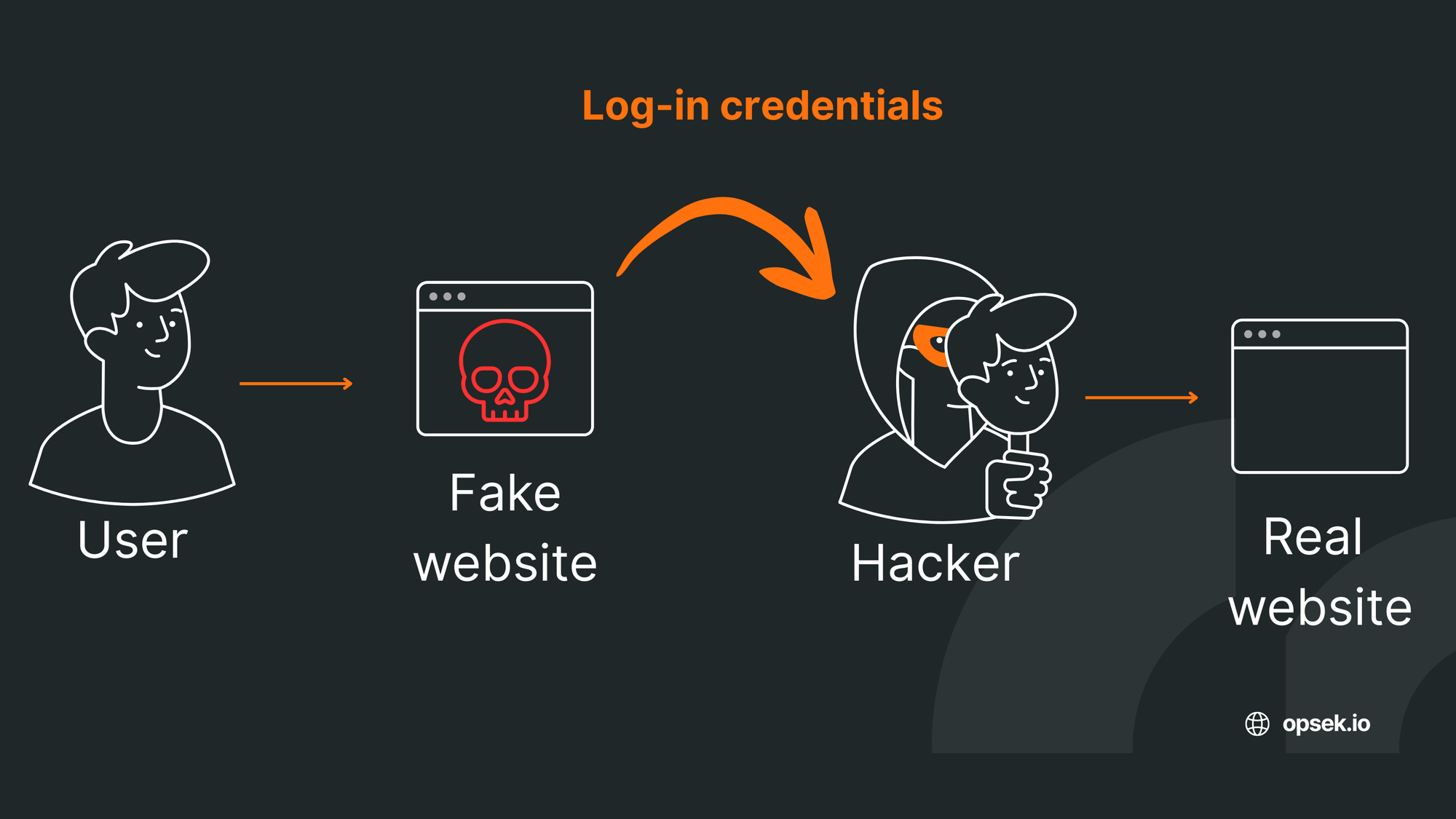
Credential stealing pages only need a basic form. Adversary-in-the-middle (AiTM) phishing uses a live connection so the attacker can control the page during use. The victim’s input still reaches Google directly, the real login check appears, and the attacker captures the resulting session cookie. A time-based One-Time password (TOTP) or one-time password does not protect against this because the attacker uses it immediately. Passkeys and hardware keys do, because they are tied to the domain that registered them and will not sign in to a lookalike webpage.
WHOIS records show the domain was registered on September 14, 2026, just five days before the LinkedIn message was sent. None of other tools, like Google safe Browsing or urlquery, flagged this domain, only DNS4EU flagged it as Malicious. By registering a fresh domain, the attacker was able to bypass controls most of these tools rely on, gaining a clear advantage.
How to protect yourself from fake LinkedIn job offers.
- Judge the ask. No recruiter, scheduler or calendar tool needs your Google password. Signing in with Google to book a meeting is not a step in any legitimate hiring process.
- Check the domain. This google login looked similar to the original, but the domain was not. It was created just a few days ago. This can be checked by using whois.
- Treat a Google-hosted page as unverified. Anyone with a Google account can publish on sites.google.com, share.google and docs.google.com. The domain tells you who hosts a page, not who wrote it.
- Contact the firm through a channel you choose. Look up the company’s switchboard independently and confirm both the role and the recruiter are real. A profile and an InMail prove neither.
- If you signed in, revoke the session as well as the password. Change the password, then revoke active sessions and review connected apps, app passwords and forwarding rules. On a live relay, changing the password alone leaves a stolen session usable. Enrol a passkey or hardware security key, which will not authenticate against a lookalike domain.
To conclude.
The domain was brand new, and every page leading up to it belonged to Google. Only two things reliably beat this attack: knowing that no scheduling tool needs your Google password, and a passkey (it won't work on a lookalike domain). Our tailored security training prepares teams for exactly this kind of scenario, and our free ZeroTrust game lets you put your OPSEC to the test. You should give it a try.