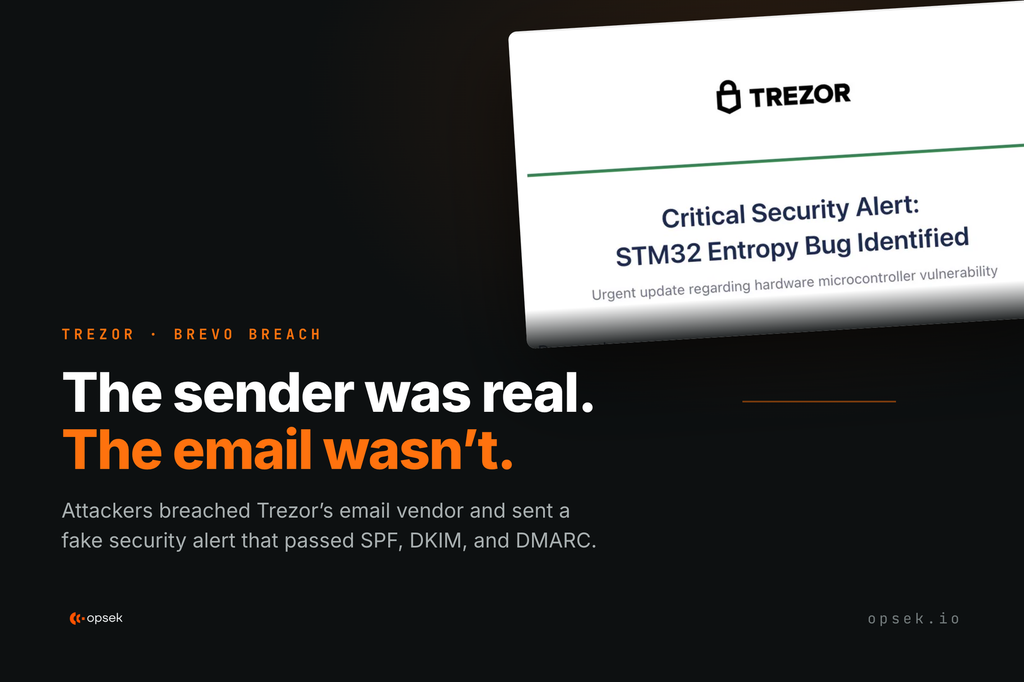
On September 9th, attackers compromised Brevo (the email platform behind Trezor's newsletter) and sent a fake security alert to roughly 347,000 subscribers. Trezor wasn't the only one hit: BitBox and CoinTracking got caught in the same net.
The email looked legitimate to subscribers. It came from the official help@trezor.io address, with headers referring to mailing.trezor.io, and it passed standard SPF, DKIM, and DMARC checks.
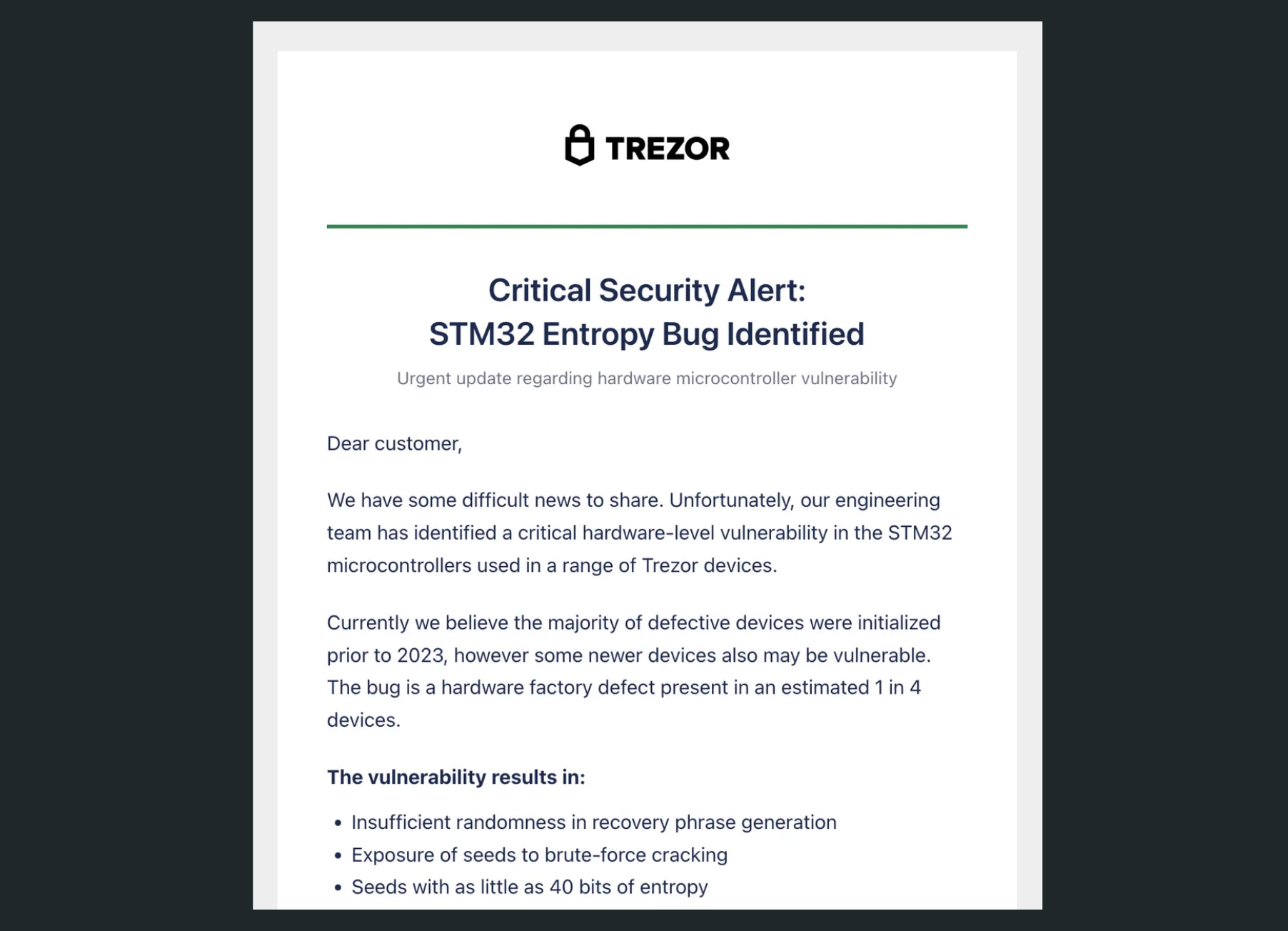
Titled "Critical Security Alert: STM32 Entropy Vulnerability", the message claimed Trezor's engineering team had found an entropy bug in STM32 hardware microcontrollers that compromised seed phrase generation. It told recipients to download an app and enter their wallet backup to "fix" the problem.
Roughly 2,500 users clicked the link before Trezor took the domain down at the DNS level within 20 minutes of the campaign going out. Trezor has not confirmed whether anyone lost funds.
How attackers got into Brevo.
Nobody broke into Brevo. No admin panel was hacked, no password was stolen. The attacker used ordinary Brevo features, and one missing security check turned those features into other companies' accounts.
Key terms to understand the attack:
- Single sign-on (SSO): the "log in with Google" style option, where you sign in through another system instead of a Brevo password.
- Identity provider (IdP): The system that verifies a user’s identity during SSO. In this case, the attacker controlled the IdP, allowing it to confirm any identity the attacker provided.
Here’s how the attacker gained access to other companies´ Brevo accounts:
The attacker first signed up for Brevo and created their own organization profile. They enabled SSO and connected it to an IdP that they controlled. Brevo allows organization owners to configure their own login systems, so nothing at this point was outside the platform intended functionality.
Next, the attacker sent invitations to existing Brevo users (people who already belong to other companies’ organizations) to their malicious organization. But since the attacker created their own IdP, they could validate other users' identities and sign in as them. Brevo trusted those identities confirmations.
The critical failure was scope. Signing in as alice@trezor.io through the attacker’s organization’s SSO should have granted access only to the attacker’s organization. Instead, it opened every Brevo organization associated with Alice’s account, including Trezor’s. In short, Brevo failed to isolate a login from one organization’s SSO from other organizations' accounts.
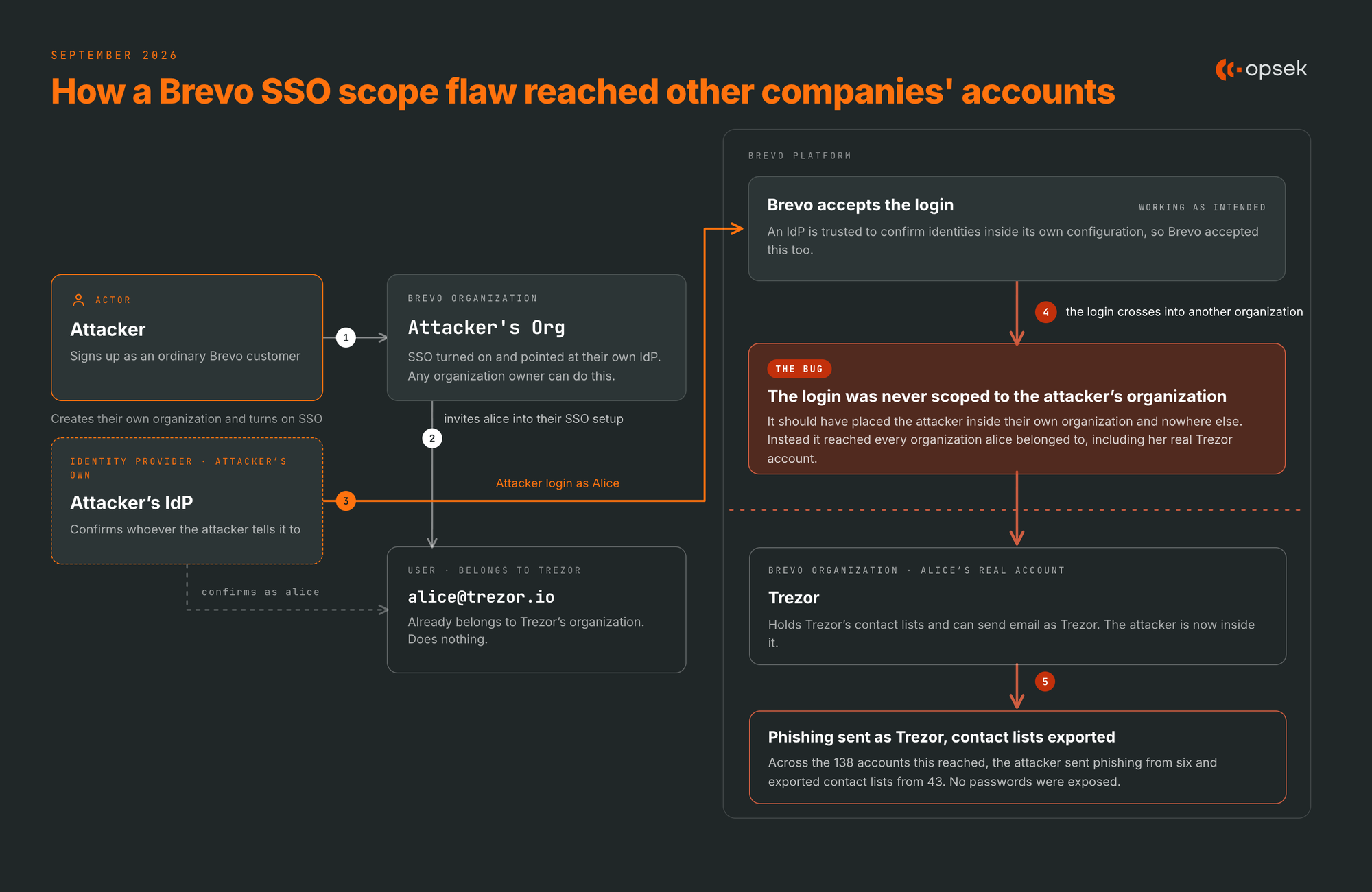
According to Brevo, the attacker reached 138 accounts: 6 were used to send phishing emails, 43 had their contact list exported, and the rest showed no significant activity. Brevo confirmed that no passwords were exposed.
Trezor was not the only target. Some other crypto companies' accounts were accessed. BitBox (a hardware wallet) and CoinTracking (crypto portfolio) reported the same campaign that day, pointing to Brevo as the shared point of failure.
How to protect yourself from email phishing.
A real @trezor.io address can still be a scam. Just because a sender checks out doesn't mean the request is safe. Verify the content, not just the source.
- Never share your recovery seed or backup keys. Not on any website, form, or app, for any reason. No company (Trezor included) will ever ask for your seed phrase or recovery keys. If one does, like in this case, don’t trust it.
- Verify the request, not the sender. A legitimate message can carry a malicious request, and a "trusted" source can be breached, so trust alone is never proof that a request is safe. This is social engineering. If you want to test if you can fall for it, check out our social engineering game.
- Verify announcements through official channels. Visit the company’s websites and social media rather than following links in an email.
- Treat unexpected “urgent security alerts” as suspicious. Legitimate updates are delivered through official apps, devices, or websites. A wallet provider will never ask your seed phrase or backup through any communication channel.
The real lesson: opsec, not code.
Trezor’s code was never compromised. The weak point was a third-party email platform, part of the operational infrastructure most users never see. Brevo acknowledged that its controls failed to adequately protect the access entrusted to its platform. Your security surface extends to whatever your systems use or connect with.
Operational security covers the accounts, domains, vendors, and systems surrounding a product. A code audit alone does not examine email authentication, domain registrar controls, identity configurations or third-party access and these overlooked layers are exactly where this breach happened.
This is exactly what our operational security audit is designed to uncover. If you think your organization may have some blind spots, get in touch.