
You think you're smart enough to spot any scam? Good. We built something to check.
99% of stolen funds in Web3 today are not smart contract hacks anymore, they're Operational Security issues: social engineering, fake job interviews, malicious Zoom calls. Most Web3 hacks don't start onchain, they start on someone's laptop. The Bybit hack ($1.4bn) started with a developer getting social engineered through a fake job interview. This happens every single day.
So we turned it into a game. Play it here →
What it is
An interactive social engineering simulation. You play the target. A "verified" account with a big following and a timeline full of crypto posts slides into your DMs about a job opportunity. You follow their instructions, step by step, exactly like a real victim would.
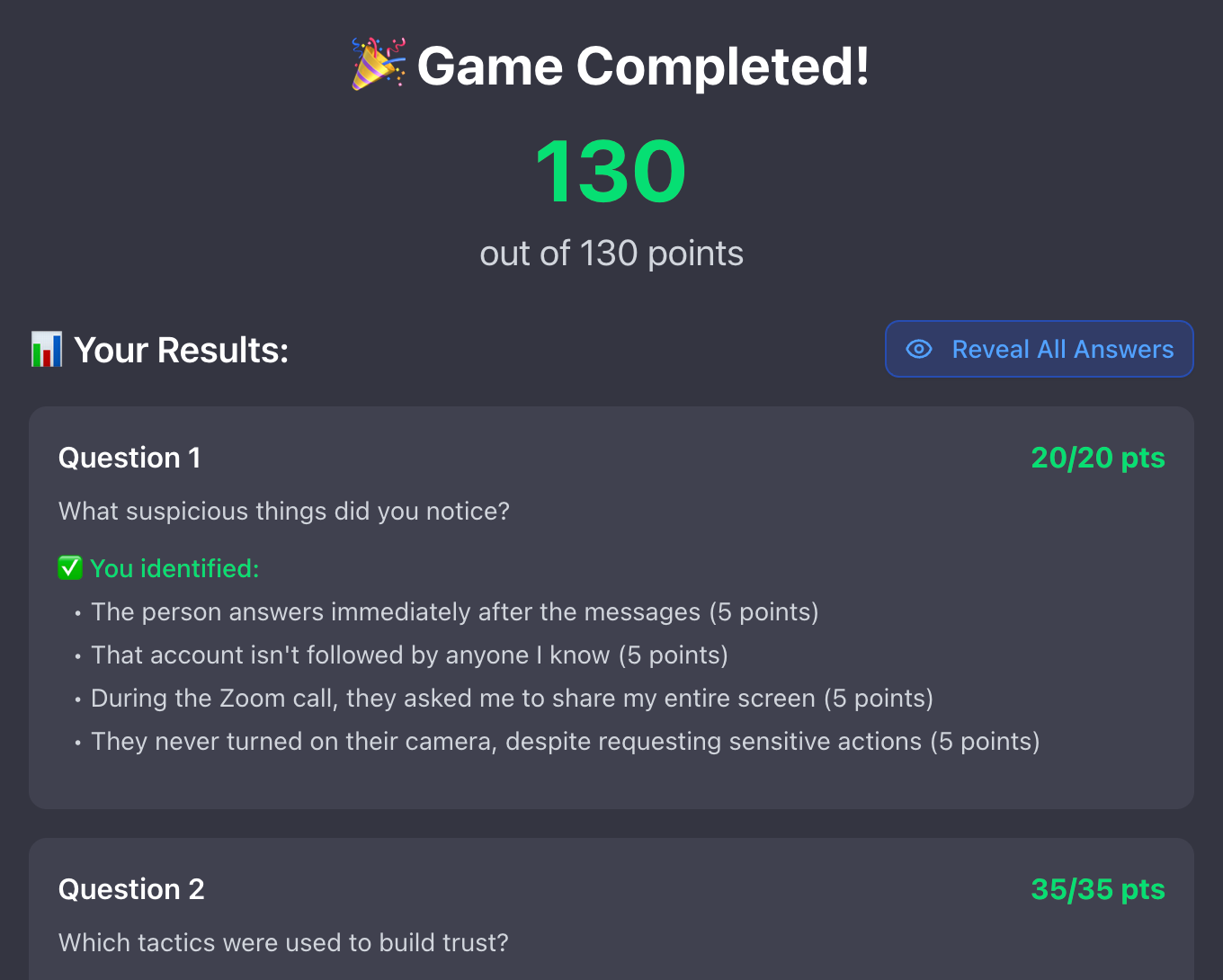
Then comes the part that matters: at the end, you have to report all the red flags. Every suspicious signal, every trust-building trick, every action you should have refused. The more you catch, the higher your score.
The trick hiding in plain sight
This scam abused a Zoom feature. When you think you're simply about to share your screen, the window that pops up is in reality a request to give remote access to your machine. You click, thinking it's harmless, and you hand the attacker control. You know what's next: cleartext passwords, seed phrases, wallets drained.
You wanna be safe? Use Zoom from the web, or just use Google Meet. 😊
Would you pass?
Most people don't catch them all on the first try, and that's the point. It's free, it takes a few minutes, and it's the cheapest incident response training you'll ever do. Remember: if you think security is expensive, try an incident.
Play it now. Get your score. Then send it to your team and your colleagues in the ecosystem and see if they beat you. The ones who score low today are the ones who don't get rekt tomorrow.
And remember: everything is a scam until proven otherwise. If you're not catching a few false positives every now and then, you're not being paranoid enough.
Answers
(Don't peek until you've played.)
Question 1: What suspicious things did you notice?
- The person answers immediately after the messages.
- That account isn't followed by anyone I know.
- During the Zoom call, they asked me to share my entire screen.
- They never turned on their camera, despite requesting sensitive actions.
Question 2: Which tactics were used to build trust?
- The account was verified (blue checkmark).
- It had a large follower count.
- Its timeline was filled with crypto-related posts.
- They mentioned they'd seen your talks at a crypto conference.
- They said things like:
- "The link to the job application is legit."
- "The link to the Zoom call is legit."
- "Multiple people are in the Zoom call."
Question 3: What's the main impact here and what could you lose?
- Have your laptop compromised.
- Expose any cleartext data (passwords, seed phrases).
- Lose access to both online and offline accounts.
- Have your wallets drained.
Question 4: What direct actions must you take as an emergency response if you suspect your laptop is compromised?
- Disconnect your laptop from the internet.
- Factory-reset your machine.
- Contact your incident response team (e.g., SEAL911).
- Check all open sessions on your online accounts.
- Change every password on all accounts.
- Contact your colleagues and team members.
Question 5: What would you do next time you see a similar situation?
- Refuse to share your Zoom screen.
- Don't respond or click any links from suspicious accounts.
- Report the account to Twitter.
- Alert a security specialist immediately.
- Share the suspicious profile with colleagues and contacts in the ecosystem.