
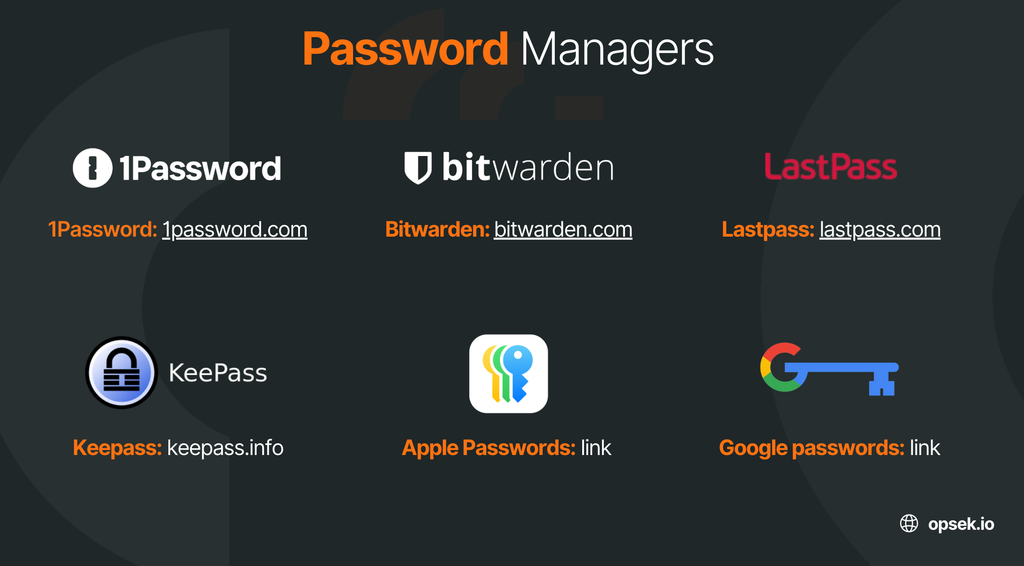
This article is not meant to be an exhaustive checklist, but some of the most common mistakes we find when auditing password managers in web3 organizations, and how they can be fixed. For this example we will be fusing in 1Password, but this applies to all password managers.
- Not configuring 2FA as mandatory for users to login into their 1Password accounts. The password manager is one of the most important accounts from a confidentiality point of view, as it stores some of your most critical data, that's why we find it crazy many people just protect it with email and password. Two factor authentication can be forced from the admin panel. You should only allow 2FA with yubikeys or other similar hardware devices. TOTP (Time based one time password) apps like Google authenticator, Authy and Microsoft authenticator are NOT recommended, as their codes can be phished. Remember yubikeys should be properly configured with a PIN in case they are stolen, and that you should always configure at least two, as they can not be backed up.
- Users saving both passwords and 2FA codes generation in the password manager. This generates a single point of failure (SPOF), as if your password manager account is compromised, the attacker would have both first (password) and second (2FA code) factors, and could take over any of your accounts. 1Password does not enable companies to disable this feature, so you should train your team to follow this practice.
- Storing backup codes, recovery codes, seed phrases and private keys. NEVER store this kind of stuff in a password manager. Password managers are meant to store passwords and PINs, that means that we use them to only store 1 factor from the credentials. Backup codes and recovery codes are very important as they will save you if you ever lose access to your 2FA, but should be stored separately: we recommend to have them in paper in a secure location that can also be accessed by someone you trust (in case you need to have access when travelling) and in an encrypted drive. For encrypted drives you can either use the encrypted drives feature from Disk Utility in macOS or Veracrypt (OpenSource). I would only recommend Veracrypt for advanced people, as it's more complicated to use and 99.999% of people don't need that level of security.
If you ever store a seed phrase or a private key in a password manager (it doesn't matter which one or if was only for 30 seconds), you should consider that seed / private key burned and move ALL of your assets to a new fresh address securely generated. The Lastpass hack from 2022-2023 allowed threat actors to steal more than 300 million dollars from people that had store their seeds there (either from Metamask, Ledger, Trezor, Exodus, etc). If you are not 100% about having done this, just rotate your keys. - Having a normal user as Owner of the 1password company profile. This is super common as usually the founder or CTO are the ones that originally set up the account, but the problem is that it's the same account that they personally use and have logged in in their day to day devices. Given the fact that this account has full privileges, we want to keep it very safe and avoid having it taken over by a threat actor. The owner of this Owner profile should be a cold account. A cold account is an account which is secret, configured with a private cold email account, with a unique password and yubikeys. Both the password manager cold account and the cold email with which it wass configured must be never logged in into a daily use laptop, as this makes it easier to have the session hijacked and the account taken over if the computer is infected with an infostealer (malware). Cold accounts must be only logged in smartphones (iPhone or Pixel) or iPads (as they are more difficult to infect than a laptop), stored turned off in secure locations and properly configured.
- Sharing credentials with people that do not need access to them. Least privilege policy should be applied here and in any other platform your company uses. You should create specific vaults for each team and only give access to credentials to the users that really need them. Not more. If you have big teams, compartmentalize even more by creating more vaults with higher segregation. Marketing team should not have access to Human resources vaults. This seems to be pretty basic but most organizations share more than they should. This is not a matter of sharing anyways because you trust them, but also thinking that someone you trust can have their account hacked in the future and the attacker may be able to access more logins than they should if you don't organize information as you should. It's also important to note that ideally we want to share as less logins as possible and to have separate usernames for each employee for every service we use, as this will both help us detect a leak faster in the future, and also reduce the likelihood of having those credentials leaked in the first place.
- Not rotating passwords after an employee is off-boarded from the organization. Removing them or suspending their accounts from 1Password after they leave the company is not enough, as they could have copies of the credentials (either on purpose or by mistake by storing them in a browser too). All the credentials from the vaults they had access to, should be changed. I know that this is a pain in the ass, but a bigger pain in the ass is to have a security incident.
- Google passwords (and also other browsers) is not an option to manage passwords. First of all, they lack features to share or manage them for a group of people. Second, whenever we see some infostealer exfiltrating data from an infected device, these are the credentials that are easily stolen. Other password managers store them much safer.
Remember this is not a complete checklist to secure a password manager, but just some recommendations regarding the most common mistakes we usually see when auditing crypto organizations. Setting up a Password manager properly, and having both a good strategy and a policy to manage it is key in any organization but requires certain level of sophistication. If you need to do this for your company, we can help you, just contact us.
Hope this is useful, feel free to add any comment or question that you have.
#StaySafe